
Maurice Müller
Senior Content Manager
Maurice Müller is a journalist and content strategist with experience across print and digital media. At Formalize, he translates complex compliance and regulatory topics into clear, practical content for compliance, risk, and security professionals across Europe.
Key takeaways
Compliance management software centralizes frameworks, controls, policies, evidence, and risk in one system, instead of five different spreadsheets and a shared drive.
The clearest signal you need it: audit prep takes weeks, the same control lives in three different documents, and nobody can state your current compliance status without a meeting first.
No platform is universally "best." The right one matches your frameworks, team structure, and existing stack, not the vendor with the most logos on their homepage.
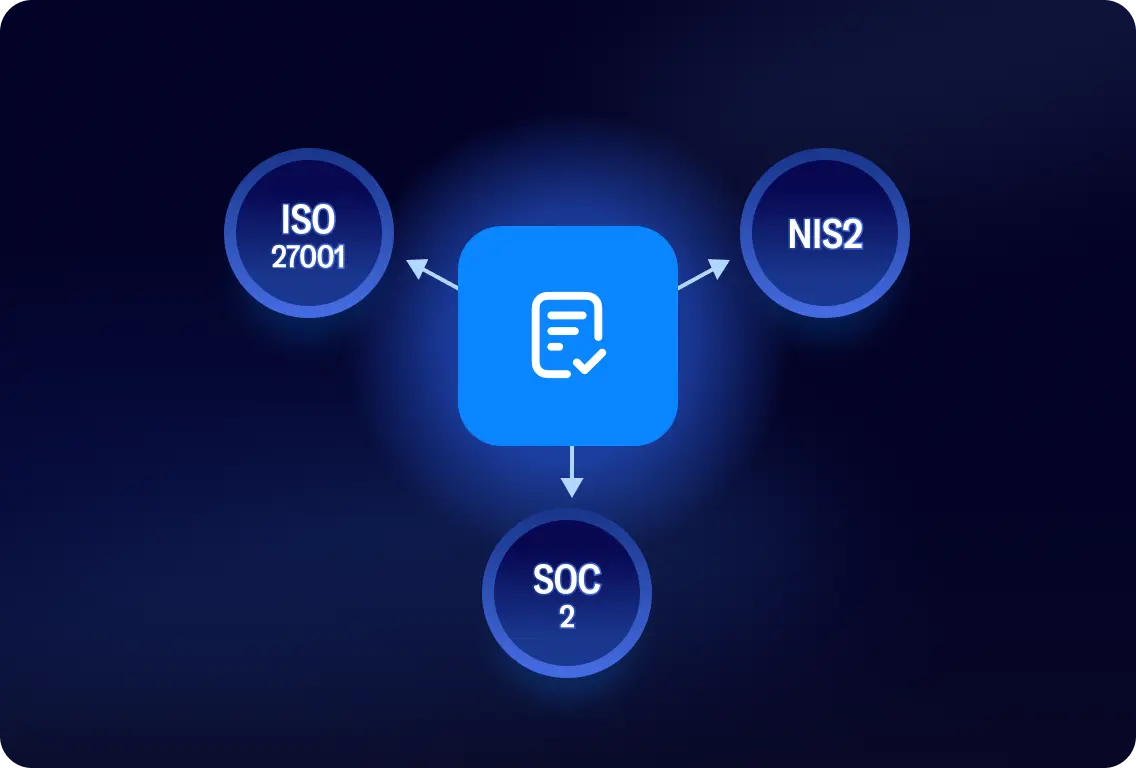
Multi-framework mapping, reusing one control across ISO 27001, NIS2, and SOC 2 instead of tracking each separately, saves real time once you manage more than one framework.
Compliance management software is one part of a broader GRC approach. The two terms get used interchangeably, but they aren't quite the same thing.
What is compliance management software?
Compliance management software is a system for implementing, documenting, monitoring, and demonstrating compliance with the regulations, standards, and internal policies that apply to your organization. Instead of tracking controls in a spreadsheet, evidence in a shared drive, and policy sign-offs in an email thread, everything lives in one place with a record of who did what and when.
The term overlaps with compliance management system, which sometimes describes the process itself rather than the software that runs it. In practice, most people searching for either term mean the same thing: software that replaces manual compliance tracking with a structured, auditable workflow.
What does compliance management software do?
The value isn't any single feature. It is that frameworks, controls, risks, policies, and evidence stop living as separate activities and start feeding into the same system.
Framework and control management
Most organizations do not manage one regulation in isolation. A mid-size company might need ISO 27001 certification, prepare for NIS2 requirements, and respond to customer security questionnaires, often against controls that overlap across all three. Compliance management software centralizes the requirements and controls for each framework you are subject to, so you can check whether a control is implemented, who owns it, and when it was last reviewed from one place.
This matters more as frameworks add up. Tracking ISO 27001 and NIS2 in separate spreadsheets means updating the same access control policy twice and hoping both copies stay in sync.
Risk management
Controls exist to manage risk, so the software tracking your controls should connect directly to your risk management process instead of treating the two as separate exercises. That means linking a specific risk, unauthorized access to customer data, for example, to the controls meant to reduce it, assigning an owner, and tracking whether the risk trends down as those controls mature.
Without that link, risk registers and control lists tend to drift apart: the register says one thing, the audit evidence says another, and reconciling the two becomes a quarterly project instead of a byproduct of daily work.
Policy and document management
Policies need a home that tracks more than the current version. Policy management software keeps a version history, records who approved a policy and when, sets review dates so nothing goes stale, and connects each policy to the controls or requirements it supports. When an auditor asks who approved the incident response policy in March, and whether employees confirmed they read it, the answer should take one search, not an email chain.
Evidence and audit management
Audits and security questionnaires ask for the same kind of proof repeatedly: policy documents, access logs, training records, a screenshot of a configuration setting. Centralized compliance evidence means that proof lives in one system with a timestamp and an owner, instead of being reassembled from several people's inboxes every time an auditor or a prospect's security team asks for it.
Good compliance audit software also flags evidence before it goes stale: a reminder that a screenshot is eleven months old is far more useful during a quiet week than during the audit itself.
Workflows, tasks, and accountability
A control is only as good as the process that keeps it running. Automated workflows turn a compliance requirement into a recurring task with an owner, a due date, and an approval step, so reviewing access rights or renewing a vendor questionnaire happens on schedule instead of when someone remembers. This is also where accountability becomes visible: instead of a policy that "the security team is responsible for," a specific task sits with a specific name and a specific deadline.
Reporting and compliance monitoring
Dashboards and reports give you a live view of control status, outstanding tasks, open risks, and overall progress toward a framework, so you are not reconstructing that picture manually before every leadership update or audit. Worth being direct about here: software gives you visibility into your compliance posture. It doesn't, by itself, guarantee compliance. That still depends on whether the controls it tracks are actually implemented and followed.
What are the benefits of compliance management software?
The benefits tie to specific capabilities rather than broad claims about reducing legal exposure:
Capability | Operational benefit |
|---|---|
Cross-framework mapping | Less duplicated compliance work |
Automated workflows | Less manual follow-up |
Centralized evidence | Faster audit preparation |
Ownership | Clearer accountability |
Dashboards | Faster visibility into compliance status |
When does an organization need compliance management software?
Every compliance program starts somewhere, and a spreadsheet is often the right starting point: one framework, a small team, and a manageable number of controls. The question is not whether spreadsheets ever work. It is whether yours still does. A few signals suggest it does not:
You manage more than one framework or regulation, and the overlapping controls get tracked and updated separately in each one.
The number of controls, risks, and owners has grown past what one person can hold in their head.
Evidence requests and audits come often enough that preparing for one barely ends before the next starts.
Compliance tasks are spread across security, legal, IT, and operations, with no shared view of what is done and what is outstanding.
Nobody can answer "what is our current compliance status" without pulling together several documents first.
You are expanding into a new market or a more regulated environment, and the current setup was not built for the added scope.
None of these signals mean a spreadsheet was the wrong choice to begin with. They mean the program has outgrown it, which is a different problem with a different fix. For the broader question of why a structured governance, risk, and compliance approach matters in the first place, see what GRC is.
How to compare compliance management software
The market is crowded, and none of it is universally "the best." What matters is comparing options against your regulatory environment, your workflows, your team structure, and the tools you already use, not a generic feature list.
Criteria | What to evaluate | Why it matters |
|---|---|---|
Supported frameworks | Does it cover what you manage now and what you are likely to need next | Switching platforms later is expensive; missing coverage shows up at the worst time |
Multi-framework mapping | Can one control, policy, or piece of evidence serve several frameworks | Prevents duplicate work as frameworks add up |
Automation | Reminders, recurring tasks, evidence workflows, questionnaire handling | Determines how much manual upkeep the platform actually removes |
Risk integration | Are controls linked to risks and remediation, or tracked separately | A checklist without risk context does not tell you what to prioritize |
Reporting and audit readiness | Dashboards, audit trails, evidence history, ownership records | Determines how fast you can answer "what is our status" |
Integrations | APIs and native connections to your existing stack | A platform that does not fit your systems becomes another silo |
Usability for non-specialists | Can security, legal, ops, and external auditors use it without training | Compliance work involves people outside the compliance function |
Scalability | Can it grow from one framework and team to several without a rebuild | Avoids a second migration in eighteen months |
Supported frameworks and regulations
Check whether a platform supports what you manage today and what you are realistically likely to need in the next year or two: a standard like ISO 27001, a directive like NIS2, an attestation report like SOC 2, or a regulation specific to your sector. Coverage that looks complete on a features page can turn out to be shallow once you get into the specifics of a given framework, so ask for a walkthrough of the exact framework you need, not a general demo.
Multi-framework mapping
Once you manage more than one framework, the ability to reuse a single control, policy, or piece of evidence across overlapping requirements becomes the difference between compliance work that scales and compliance work that multiplies. Ask a vendor to show you, specifically, how one access control maps to more than one framework in their system, not just that mapping is "supported."
Automation and workflows
Look past the word "automation" itself and ask what it actually removes from someone's plate: automated reminders before a review is due, recurring tasks that regenerate on schedule, evidence requests that route themselves to the right owner, and questionnaire responses that pull from an existing answer library instead of being retyped each time.
Risk and compliance integration
A platform that treats compliance as a checklist, separate from your organization's actual risks, only tells you what is done. One that connects requirements and controls to risk management tells you what to prioritize when you cannot do everything at once, which is most of the time.
Reporting and audit readiness
The essentials here are dashboards that show control status at a glance, audit trails that record changes over time, and evidence history tied to a specific date and owner. The test is simple: could you answer an auditor's question about a control from six months ago without asking a colleague to check their inbox?
Integrations and flexibility
Compliance work touches identity systems, ticketing tools, HR platforms, and cloud infrastructure. A platform with APIs and native integrations fits into that existing stack; one without them becomes another system your team has to update by hand, which defeats much of the point.
Usability and stakeholder collaboration
Engineers confirming a control, legal reviewing a policy, a supplier completing a questionnaire, an auditor requesting evidence: compliance work reaches well outside the compliance team, and a platform that only makes sense to the person who set it up will bottleneck on that person. Test it with someone outside your team before you commit.
Scalability
Consider whether the platform can grow from one framework and a small team to multiple frameworks, business units, and markets without needing a separate system bolted on. A tool that fits today's compliance program but nothing bigger tends to get replaced right when replacing it is least convenient.
Explore the Formalize platform to see how these criteria play out in practice.
Compliance management software vs. spreadsheets
Spreadsheets aren't the wrong tool at every stage. A small compliance program with one framework and a handful of controls can run on a well-organized spreadsheet for a while. The trouble starts as more frameworks, risks, controls, and stakeholders get added, because a spreadsheet does not do any of the connecting work for you.
Area | Spreadsheets | Compliance management software |
|---|---|---|
Ownership | Implied by who last edited the file | Assigned per control or task, with a record |
Version control | Manual, and easy to lose track of | Automatic, with a full history |
Cross-framework mapping | Rebuilt manually for each framework | Controls and evidence reused across frameworks |
Reminders and workflows | Depend on someone remembering | Automated and scheduled |
Evidence and audit trail | Scattered across files and inboxes | Centralized, timestamped, searchable |
Reporting | Assembled by hand before each update | Available on demand from a dashboard |
The practical test is not "do we use spreadsheets" but "how long does it take us to answer a compliance question right now." If that answer keeps getting longer as your program grows, that is the spreadsheet limit showing up, not a reason to feel behind.
Compliance management software vs. GRC software
Some tools focus specifically on compliance workflows: tracking frameworks, controls, policies, and evidence. Broader GRC platforms connect that compliance work with risk management, governance structures, and often third-party risk, treating compliance as one piece of a wider operating model rather than a standalone function.
In practice, the line between the two categories isn't sharp, and vendors on both sides use the terms loosely. The more useful question is not which label a platform uses, but whether it covers the specific workflows your organization needs today: if compliance tracking is the immediate priority, a focused compliance management platform may be all you need; if you are also building out risk governance across the business, a broader GRC approach is worth evaluating alongside it.
How to implement compliance management software
Rolling out a new platform is a project in its own right, and skipping the groundwork is the most common reason implementations stall. A practical sequence:
Define scope: List the regulations, frameworks, and workflows the platform needs to cover, now and over the next year.
Map what exists: Document current processes, data, and the specific pain points you are trying to fix, so you can tell later whether the new setup actually fixed them.
Select the software: Compare options against the criteria above, weighted by what matters most for your organization.
Assign ownership and migrate: Decide who owns each control and policy, then bring existing documentation into the new system rather than starting from a blank slate.
Configure workflows and integrations: Set up automations, approval steps, and connections to the tools your team already uses.
Train the people who will use it: Include everyone who touches compliance work, not only the team that selected the platform.
Monitor and adjust: Review what is working after the first few months and adjust workflows accordingly. An implementation is a starting point, not a finished state.
How Formalize supports compliance management
Formalize connects frameworks, controls, risks, policies, tasks, and compliance documentation in one environment, with the automated workflows and dashboards described above. Specifically, Formalize helps teams:
Manage multiple frameworks, including ISO 27001 and NIS2, in one platform instead of parallel systems.
Map overlapping controls across frameworks, so one piece of work supports several requirements.
Connect risk and compliance workflows, instead of tracking risk and controls as separate exercises.
Automate recurring compliance tasks: reminders, reviews, and evidence requests.
Centralize documentation, policies, and accountability in one searchable system.
Integrate with the tools already in your organization's stack.
More than 8,000 organizations across Europe already use Formalize's products. We won't tell you this is the best compliance management software for every organization, because it depends on the frameworks and workflows above.
See how Formalize maps to your frameworks
Bring your own frameworks and workflows, spreadsheet included. We'd rather show you the fit than describe it.